Performance Optimisation
Shopify Performance Optimisation in E-Commerce Development
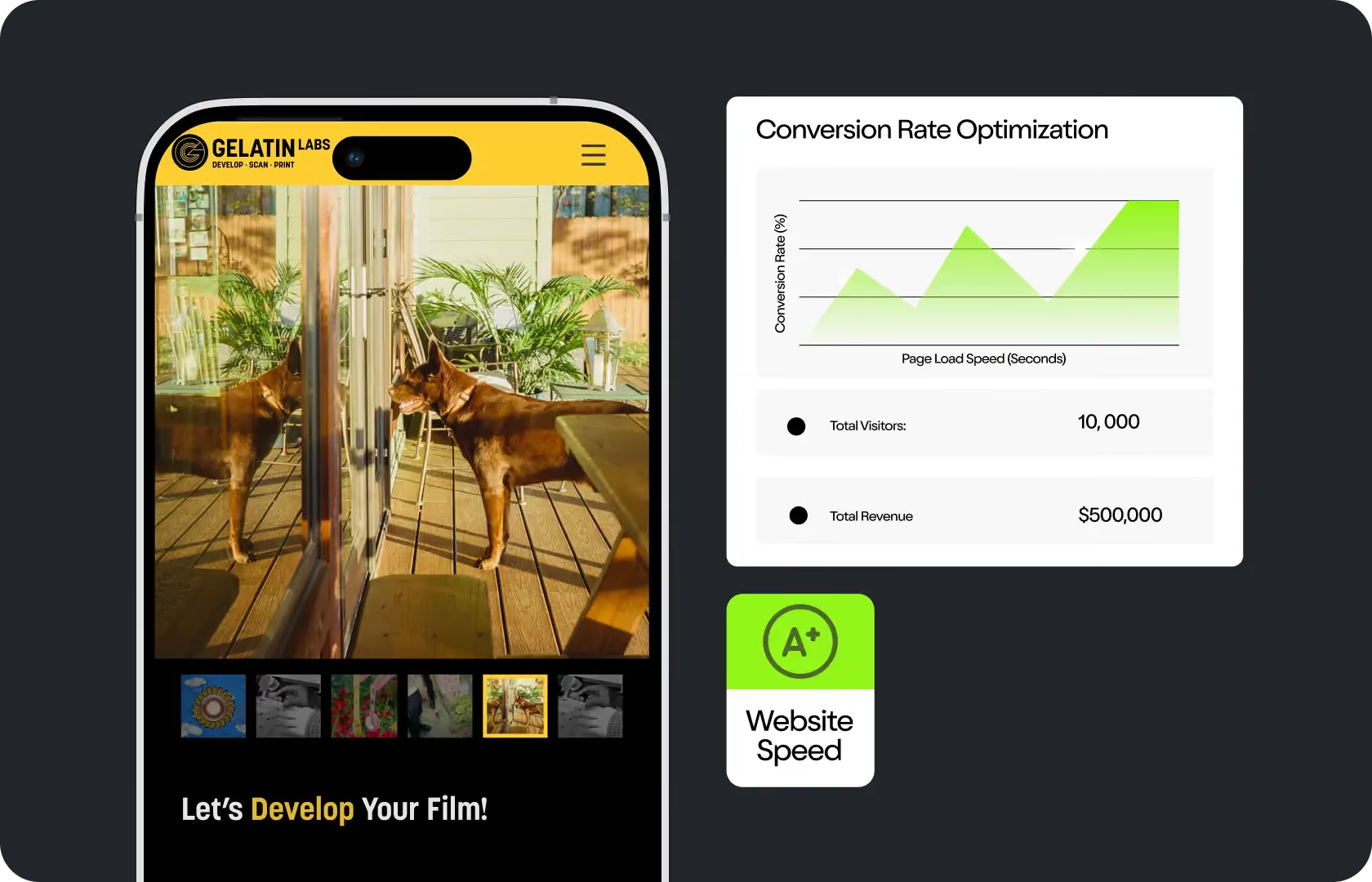
So here is something most store owners find out the hard way. A slow Shopify store does not just frustrate visitors, it actively costs money in two separate ways at the same time. First, it reduces the conversion rate of the traffic already arriving. And the second, because Google uses Core Web Vitals as a ranking signal, it also reduces how much organic traffic arrives in the first place. So basically, a store with performance problems is paying twice over in reality. Once in lost sales from current visitors, and once in lost visibility that would have brought future ones.
Talking about the numbers, the data here is pretty consistent across sources. Just a one-second delay in page load time reduces conversions by approximately 7 percent. In fact, you would be surprised to know that Walmart found that each one-second improvement in load speed delivered two percent higher conversions. And research from Google consistently shows that people with a negative mobile experience are 62 percent less likely to buy from that brand again, not just on that visit, but at all. At Suplex Design, our team of Shopify performance experts treats speed optimisation as a revenue investment, and this is because that is exactly what it is.

What Is Shopify Performance Optimisation?
Shopify performance optimisation is basically improving how quickly your store loads and responds to user interactions, specifically targeting the metrics that affect both real user experience and Google's ranking signals. The three metrics that matter most here are Core Web Vitals: Largest Contentful Paint, which measures how quickly the main content of a page appears; Interaction to Next Paint, which replaced First Input Delay in March 2024 and measures how quickly the store responds to user interactions like tapping a button or adding to cart; and Cumulative Layout Shift, which measures how stable the layout is while it loads.
What is worth knowing is that Shopify's infrastructure is actually quite fast by default. So if your store is slow, the culprit is almost certainly what has been added on top of the platform, not the platform itself. Unoptimised images, render-blocking JavaScript from third-party apps, too many tracking scripts loading simultaneously, heavy theme code that was never cleaned up, custom fonts loading without fallbacks. These are the things our team of developers at Suplex Design looks for first, and in our experience, they account for the vast majority of performance problems across stores of all sizes.
How Suplex Design Approaches Shopify Performance Optimisation
You will find that most agencies treat performance optimisation as a one-time cleanup. At Suplex Design, we do things a bit differently. For us, performance is a process, not a project, and the work we do is structured to produce improvements that compound rather than decay as soon as new apps are installed or new content is added.
Performance Audit and Prioritisation
Before anything gets changed, our team of Shopify developers at Suplex Design runs a structured audit across every key page template, because what this means practically is that we fix the template and improve every page that uses it simultaneously. We use tools like the Google PageSpeed Insights for lab data, Google Search Console's Core Web Vitals report for real user field data, and Lighthouse for diagnosing specific bottlenecks. The field data matters more than the lab score as Google uses real Chrome user data from the CrUX report to determine rankings. A store that scores 90 in a simulated test but consistently loads slowly for real users in, say, Mumbai or Dubai, will still tend to usually underperform in rankings.
From the audit, we prioritise fixes by commercial impact rather than technical severity. A fix that improves the product page template LCP by half a second is worth more than a fix that improves the blog template by two seconds, simply because product pages are where conversions happen.
Image Optimisation and Delivery
Images are, frankly speaking, the single biggest contributor to slow Shopify stores in most of the cases we see at Suplex Design. Uncompressed product photography, hero images uploaded at print resolution and served at screen size, decorative images blocking the Largest Contentful Paint. To be frank, all of these are pretty much fixable without affecting how the store looks to the visitor. Our team of Performance optimisation experts compress and convert images to next-generation formats like WebP, implement lazy loading for below-the-fold content so the browser is not fetching images the visitor has not scrolled to yet, and set explicit width and height attributes on images to prevent Cumulative Layout Shift while the page loads.
App and Script Audit
This is the one our team of Shopify experts at Suplex Design probably spend the most time on, and honestly speaking it is also where the biggest surprises tend to surface. Most stores that come to us for performance work have apps loading scripts on every page even when those apps are only relevant to one page type. They have duplicate analytics tags firing simultaneously because tracking was added piecemeal over time without anyone auditing what was already there. They have abandoned apps that were uninstalled from the Shopify admin but whose code was never cleaned from the theme. Talking about the commercial impact here, each of these adds render-blocking time that delays every page load for every visitor, so fixing them is high leverage work.
We audit every script loading on your store, identify what is actually needed, defer everything that does not need to block initial rendering, and remove what has been abandoned. For stores with large app stacks, this process often produces the most dramatic performance improvements of the entire project.
Theme Code Optimisation
Custom themes and heavily modified themes accumulate technical debt over time. CSS files that were added for features that no longer exist. JavaScript that runs on page load regardless of whether the user ever triggers the feature it supports. Render-blocking font loading that delays the entire page for a typeface. Our website developers at Suplex Design review the theme code for bloat and clean it systematically, implementing font-display swap for custom fonts, inlining critical CSS so the above-the-fold render does not depend on an external stylesheet, and deferring non-critical JavaScript so it does not compete with the initial page load.
Mobile Performance and INP
Interaction to Next Paint replaced First Input Delay as a Core Web Vital in March 2024, and this matters a lot for Shopify stores because it changed what Google measures. INP tracks how quickly the store responds to every user interaction across the full session, not just the first click. So basically this means that slow cart drawer animations, laggy variant selectors, and checkout buttons that feel unresponsive all contribute to a poor INP score, even if the page itself loaded quickly. Our team addresses INP by reviewing and optimising interactive elements specifically on mobile, where processor constraints make JavaScript execution slower and where over 70 percent of e-commerce traffic arrives.
Ongoing Monitoring and Maintenance
Performance improvements decay. This is just a fact we have experienced many times at Suplex Design. A new app gets installed, a marketing team adds a tracking pixel, someone uploads an uncompressed image for a promotional banner. All of these can quietly undo months of optimisation work without anyone noticing until the PageSpeed score drops or rankings soften. Hence we offer ongoing performance monitoring as part of our support arrangements, reviewing Core Web Vitals data monthly and flagging regressions before they compound into a problem that requires another full audit to unpick.

Tools and Technology Behind Shopify Performance Optimisation
At Suplex Design, our team of performance specialists uses Google PageSpeed Insights and Lighthouse for diagnostic auditing, Google Search Console's Core Web Vitals report for real-user field data, and WebPageTest for waterfall analysis of network requests. Image compression and conversion is done through a combination of Shopify's built-in image transformation pipeline and external tools where needed. Theme code review is done using Shopify's Theme Check alongside manual code review. We monitor post-optimisation performance through Search Console and set up alerts for Core Web Vitals regressions so issues are caught early.
Common Mistakes in Shopify Performance Optimisation
Most performance problems on Shopify stores are caused by the same set of mistakes, and what makes them frustrating is that most of them accumulate gradually rather than appearing all at once.
- Optimising for the PageSpeed Insights lab score rather than real-user field data from Search Console. The lab score is useful for diagnosis but Google uses field data for rankings, and the two can differ significantly, especially for stores with international traffic.
- Installing apps without auditing the scripts they add to every page load. Each app that loads a script on pages where it is not needed adds render-blocking time that compounds across every visitor session.
- Uploading product and campaign images at full resolution without compression or format conversion, which is so basically the most common single cause of slow Largest Contentful Paint scores we see.
- Treating performance optimisation as a one-time fix rather than an ongoing practice, which means improvements decay as the store grows and new content and apps are added.
- Focusing only on desktop performance when over 70 percent of e-commerce traffic comes from mobile devices where performance constraints are more severe and the impact on conversions is higher.
- Ignoring Interaction to Next Paint after the March 2024 update that made it a Core Web Vital, leaving stores with responsive-feeling pages that still score poorly on the metric Google now measures for interactivity.
At Suplex Design, the audit process is specifically designed to catch all of these before making recommendations, because in our experience fixing the wrong things first wastes time and can delay the improvements that actually move the numbers.
Why Shopify Performance Optimisation Matters for D2C Brands
Performance optimisation is probably the highest-leverage technical investment a D2C brand can make, and this is because it improves two things simultaneously: the conversion rate of traffic that is already arriving, and the volume of organic traffic that arrives in the future. Most marketing investments improve one or the other. Speed improvement does both, and the returns compound over time as Google reindexes improved pages and rankings recover.
Talking about the practical commercial impact, a store doing five thousand orders a month with a conversion rate of two percent that improves to two point five percent has added two thousand five hundred additional orders from the same traffic with no additional ad spend. At any realistic average order value, that is a significant revenue number, and it came from fixing problems that were already costing the business money before the optimisation work started.
For D2C brands operating across markets like India, the UAE, and the UK, performance is even more important because network conditions and device quality vary more widely than in single-market operations. A store that loads quickly on a fast London connection may be painfully slow on a mid-range Android device in Jaipur or Dubai, and the buyers in those markets are just as valuable. Suplex Design tests performance across real devices and real network conditions, and this is so because a score on a simulated test is not the same as the experience your actual buyers are having.
How Suplex Design Approaches Shopify Performance Optimisation for Your Store
Every performance optimisation project at Suplex Design starts with a proper audit rather than a list of standard fixes, and ideally this is where most of the value comes from. What is slowing your store down is specific to your theme, your app stack, your image pipeline, and your traffic patterns. So in case you are dealing with poor Core Web Vitals scores, rankings that have softened without an obvious reason, or conversion rates that have not moved despite good traffic, performance is very likely part of what is going on.
Get in touch with Suplex Design to talk about Shopify performance optimisation for your store. Our team of experts can help you work out where the problems actually are and what fixing them would mean for your revenue.

Frequently Asked Questions
What Shopify performance optimisation services does Suplex Design offer?
Suplex Design offers full Shopify performance audits covering Core Web Vitals, image optimisation, app and script auditing, theme code cleanup, mobile INP improvements, and ongoing performance monitoring. We work across both standard Shopify and Shopify Plus stores for D2C brands across India, the UAE, the US, the UK, and Singapore.
How long does a Shopify performance optimisation project take?
A standard audit and optimisation project at Suplex Design typically takes two to four weeks depending on the size of the store, the complexity of the theme, and the number of apps installed. The audit phase usually takes one week, and implementation runs for one to three weeks after that. We scope this clearly before starting so your team knows what to expect and when.
How is Suplex Design's approach different from running a generic speed optimisation app?
Speed apps on the Shopify app store make broad automated changes that sometimes help and sometimes create new problems. Our team of Shopify developers at Suplex Design audits your specific store, identifies what is actually causing your performance issues, and makes targeted fixes with clear reasoning behind each one. There is no automated guesswork, and we do not make changes that could break your theme or your checkout flow.
Will performance optimisation affect how my store looks or functions?
No, your store should look and function exactly the same after optimisation, and this is actually the whole point. Performance improvements come from how assets are delivered and how scripts are loaded, not from changing the visual design or removing functionality. We test thoroughly across devices and browsers before anything is pushed live to make sure nothing breaks.
Do you offer ongoing support after the performance work is done?
Yes absolutely. Suplex Design offers ongoing performance monitoring after the initial optimisation project, reviewing Core Web Vitals data monthly and flagging any regressions before they compound. This matters because performance degrades over time as new apps and content are added, and catching issues early is a lot cheaper than another full audit six months down the line.
Let’s Make It Happen
Shopify Success Stories

AuraML
How Suplex helped AuraSIM shift from a simulation tool to the brand that makes physical AI feel ready for the real world.

Tea Culture of the World
How Suplex made 120 teas from across the world feel like a discovery rather than a decision.

Great Lakes
How Suplex built a full stack website for a Midwest tequila brand with a real production story.
Why Suplex?
World Class Aesthetics
.webp)
Profitable E-Commerce
.webp)
Build A Brand
.webp)
Build Your D2C Business The Right Way
Build It With Suplex.


