PWA Storefront: What It Is, When It's Worth It, How To Build One (2026)
.avif)
PWA Storefront: What It Is, When It's Worth It, How To Build One (2026)
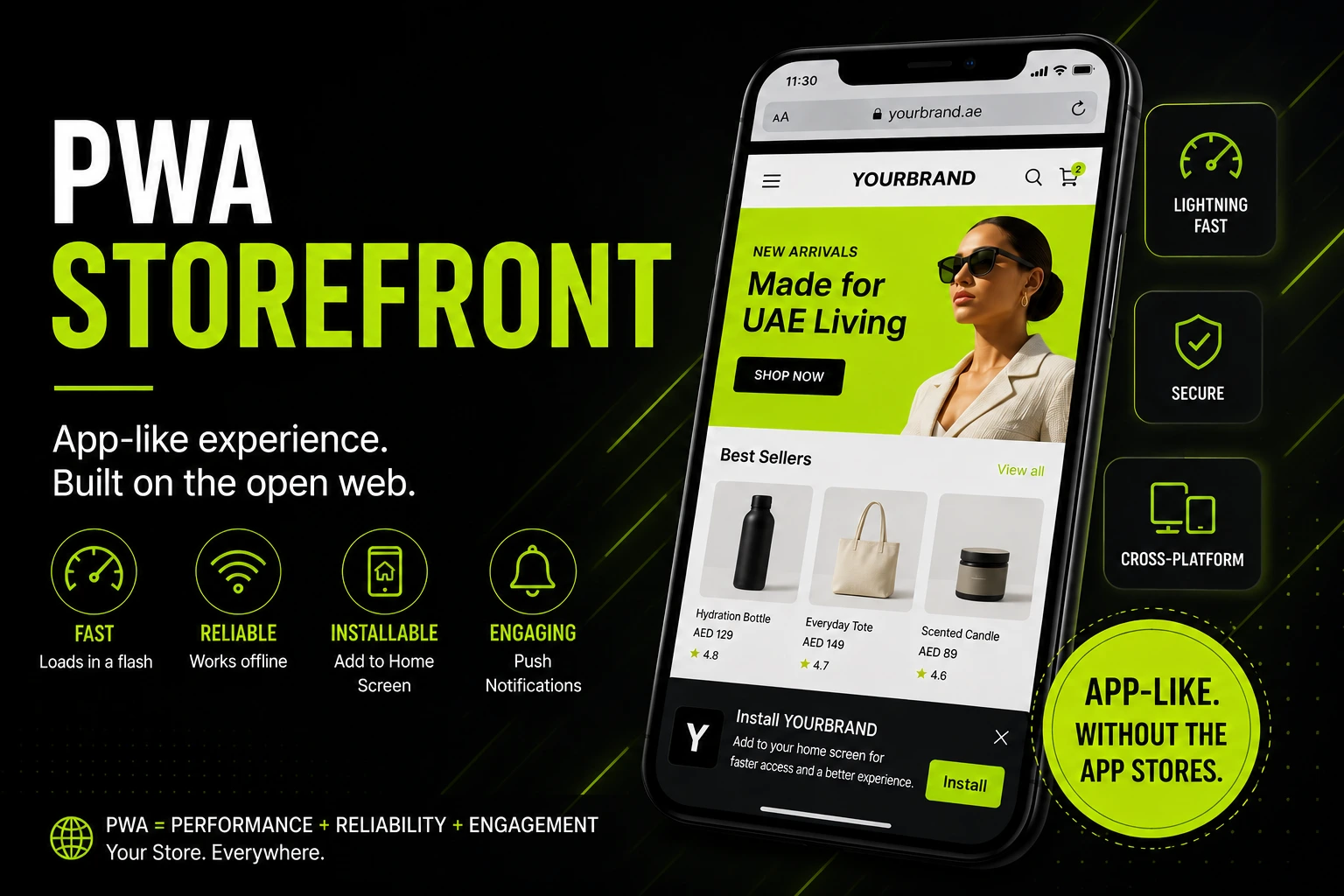
A PWA storefront is an ecommerce website built with three specific technical layers, a web app manifest, a service worker and HTTPS delivery, that let a browser treat it like an installable app.
A PWA runs in the browser and delivers app-like features. The real question is whether those features justify the engineering investment.
This Suplex guide explains what a PWA storefront requires, whether Shopify supports it, when it makes sense and what to consider for the UAE and Gulf market.
What is a PWA Storefront, Exactly?
A PWA is defined by specific technical requirements. Here's what makes a website a PWA and how to verify each one.
The Three Technical Requirements: Manifest, Service Worker, HTTPS
A PWA needs exactly three things working together. Miss one and it's not a PWA, no matter how fast the site loads.
- Web App Manifest: A JSON file that tells the browser how the site should behave when installed: app name, icon, theme colour, and display mode (standalone, so it opens without browser chrome, like an app).
- Service Worker: A background script that intercepts network requests, enabling offline caching, background sync, and push notifications. This is the piece that makes "offline-first" possible at all.
- HTTPS Delivery: Service workers only run over HTTPS. Not optional, not a nice-to-have, a hard technical requirement.
Push notifications get pitched constantly as the growth lever that makes a PWA worth it, but the numbers deserve a reality check.
Chrome's CrUX data puts average push notification opt-in acceptance around 17%. That's a real re-engagement channel, not the guaranteed win some agency pitches suggest.
We treat the manifest and service worker as the minimum bar, not the finish line, when a client asks for a PWA.
PWA vs Native App Vs Responsive Website: Where It Actually Sits
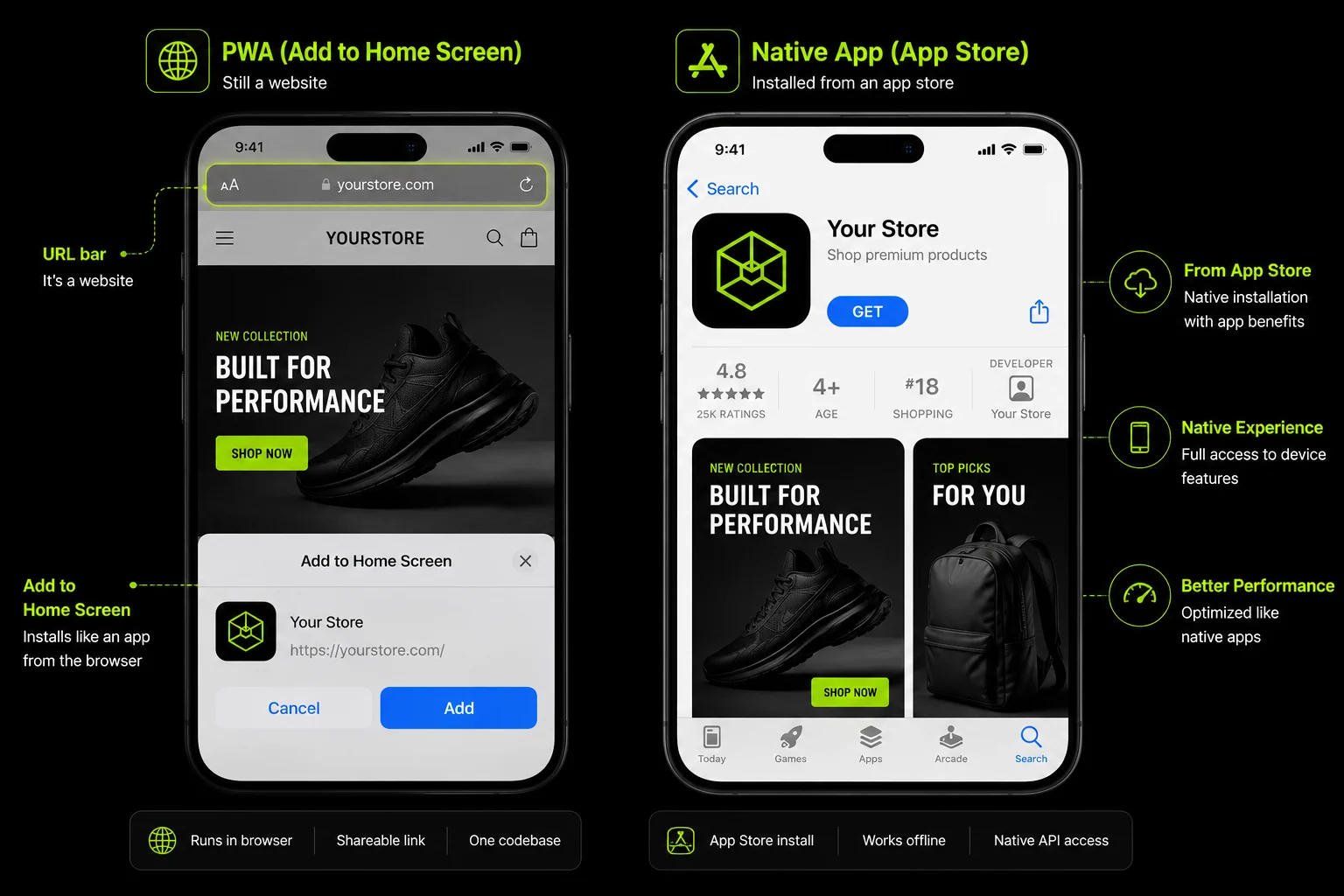
A PWA sits between a normal responsive site and a native app, not as a replacement for either, but as a distinct middle option with its own tradeoffs.

Can You Actually Build a PWA Storefront on Shopify?
This is the question most people searching "Shopify PWA" actually want answered and the common misconception needs correcting upfront.
Why Standard Shopify Themes Aren't PWAs Out of The Box
Liquid themes, the default Shopify theme architecture, don't ship a manifest or a service worker. Installing a fast, well-optimised Shopify theme doesn't make your store a PWA, no matter how good its Lighthouse score looks. This is the single most common misunderstanding brands bring to this conversation.
Two Real Paths: App-Layer PWA vs Full Headless Rebuild
There are two legitimate ways to get PWA capability on Shopify, and they sit at very different points on cost, ceiling, and complexity. Think of it as a ladder with two rungs.
Rung 1, App-Layer PWA: A Shopify App Store tool bolts a manifest and service worker onto your existing theme. Fast to implement, cheap relative to a rebuild, and it gets you real installability and basic offline caching.
The ceiling is low, though, you're still working inside your theme's structural limits. Checkout customisation stays off-limits (Shopify's checkout is separate from theme code), offline product browsing is shallow, and the app-shell navigation pattern that makes a PWA feel genuinely app-like isn't achievable this way.
Rung 2, Full Headless PWA: A custom storefront built on Hydrogen (Shopify's React-based framework) and hosted on Oxygen, pulling data through the Storefront API.
Built PWA-native from the ground up, no ceiling. Custom app-shell navigation, deep offline caching strategies and full control over the checkout experience (within Shopify's checkout extensibility framework) are all achievable. Higher cost, longer build, real engineering commitment on an ongoing basis.
Rough Cost and Timeline Bands: (indicative agency ranges, not fixed pricing, actual cost depends heavily on catalogue complexity and integrations):

We scope this decision with clients based on their actual traffic mix and mobile Lighthouse score, not trend pressure.
A brand asking for a full headless rebuild because a competitor has one, without the traffic data to justify it, usually gets a different recommendation from us.
When a PWA Storefront is Worth The Investment (and when it isn't)
A decision framework beats a blanket recommendation. Most content pushing PWAs skips the "don't do this yet" conversation entirely, here it is.
The Signals That Justify It
- Mobile Traffic Share Above Roughly 60%: Below this, the investment serves a minority of your visitors.
- Mobile Lighthouse or PageSpeed Score Already Under 70: A real performance gap to close makes the engineering investment pay off faster.
- A Repeat-Purchase or Subscription Model: Re-engagement through push notifications and home-screen presence compounds lifetime value over many purchase cycles, not just one.
- You're Competing Directly Against Native-App-First Players in Your Category: If your category leader already owns the app-first shopping habit, matching that experience becomes a competitive necessity, not a nice-to-have.
The Signals That Say Skip It, For Now
- Low Mobile Traffic Share: The audience the investment serves doesn't exist yet.
- Small Team, No Ongoing Dev Capacity: A custom headless stack isn't "set and forget." Without capacity to maintain it, you're building technical debt.
- Mid Replatform: If a platform decision is still open, that decision should come first. Building a PWA on a platform you might leave wastes the investment.
- The Lighthouse Score is Already Strong: If your mobile performance is already good, the ROI ceiling on a PWA rebuild is lower than the pitch usually suggests.
Score your situation against these signals honestly before talking to any agency, including us. We run this exact signal check before recommending PWA architecture to any client, tied to a Shopify audit rather than a sales conversation.

What a PWA Storefront Actually Delivers: Real Numbers
Vague "boosts conversion" claims aren't useful. Here's named, verifiable case data, and more importantly, which lever actually drove each result.
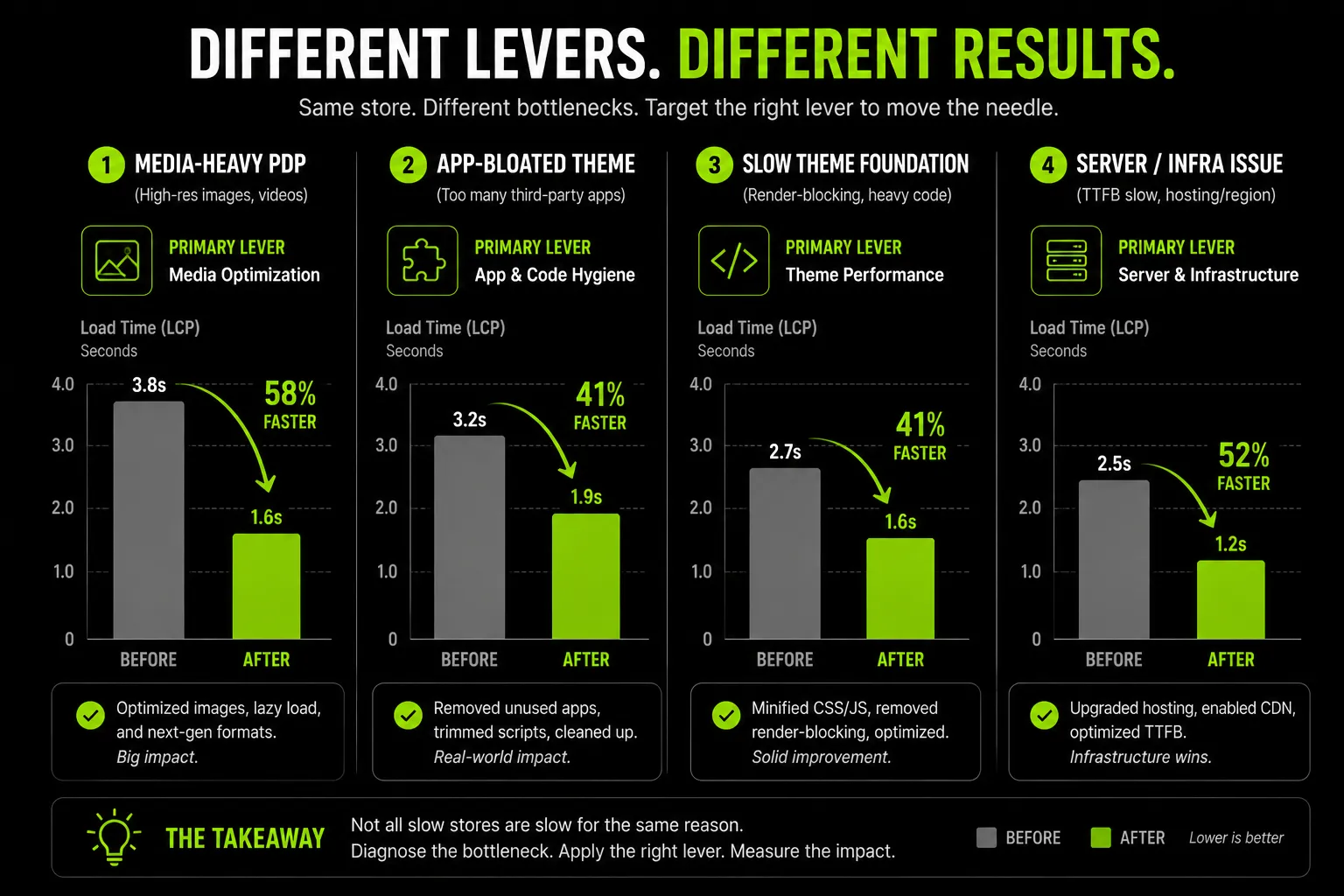
Don't read these as interchangeable proof that PWAs work universally. Each result came from a different mechanism, and the mechanism is what determines whether it applies to your business.
Flipkart's 70% Conversion Increase Is Bandwidth-Driven:
It solved a real connectivity problem in a market where mobile data was slow and expensive. That mechanism doesn't map to the UAE, where mobile internet speeds are already among the fastest globally.
Lancome's 12% Conversion Lift Is Push-Driven:
For a repeat-purchase, brand-loyal customer base that opts into notifications and returns for the next purchase. If your business is mostly first-time visitors with low repeat rates, this specific lever won't produce the same result.
Debenhams' Result Is Largely Speed-Driven:
A genuine performance gap closed by moving from a slow mobile experience to a fast one. This lever transfers more broadly, but only if you're actually starting from a slow baseline. If your Lighthouse score is already strong, there's no equivalent gap to close.
The takeaway: match the lever to your actual business model and starting point before assuming any of these numbers apply to you.
Suplex's Approach To PWA & Headless Storefront Decisions
We recommend a PWA only after reviewing your mobile performance, traffic mix, and business goals. A request for "a PWA" starts with a performance audit, not a development proposal.
As a Shopify Partner with custom development experience, we assess both app-layer and headless approaches. If your store doesn't need either, we'll tell you.
Every recommendation is based on:
- Mobile traffic and Core Web Vitals
- Catalogue size and complexity
- Internal development resources
- Ongoing maintenance budget
Two brands asking the same question can receive different recommendations because their requirements are different.
Our approach is based on experience delivering mobile-first ecommerce projects. For Celesti (skincare), we improved mobile conversion by addressing performance and user drop-off. For Miho (fashion), we redesigned the shopping journey around mobile browsing behaviour and customer personas. Those projects reinforce the same principle we apply to every PWA recommendation: improve performance where it delivers measurable business value.
PWA Storefronts For UAE and Gulf Ecommerce Brands
Most PWA content pitches "fixes slow connections" as the core value proposition. That pitch doesn't hold up in the UAE, and the real case here looks different.
Why The Standard PWA Pitch Doesn't Apply Here
The UAE has some of the fastest mobile internet in the world, and over 75% of web traffic here is already mobile. The connectivity problem that drove Flipkart's and Jumia's PWA results simply doesn't exist for UAE shoppers. If your agency is pitching a UAE PWA build on "it'll fix your slow mobile experience for shoppers on bad connections," that's the wrong argument for this market.
The real UAE case: matching app-first shopping habits
UAE shoppers already default to app-first browsing. Noon and Amazon.ae have trained this audience to expect app-like speed and installability as the baseline experience, not a bonus. A PWA storefront's real value here is competing directly with that expectation inside a mobile browser, without asking the shopper to visit an app store first.

Where Push Notifications Genuinely Help
Flash sales and Ramadan or EOSS-driven traffic spikes are common patterns for UAE D2C and FMCG brands. Push notifications are a legitimate re-engagement lever specifically for this kind of spike-driven campaign cycle, where a home-screen presence and a well-timed push can pull a shopper back during a narrow sales window. This connects directly to the Launchpad campaign automation we've covered in our Shopify Plus coverage for the Gulf retail calendar.
COD and Checkout Trust
COD remains a dominant payment preference across the Gulf. COD orders already carry more drop-off risk than card-paid orders, customers commit less firmly when payment happens later.
A fast, trustworthy checkout shell inside a PWA reduces friction at exactly the point where COD orders are most exposed to abandonment.
Arabic RTL Needs Framework-Level Planning
Arabic RTL rendering inside a custom PWA shell has to be planned at the framework level, inside Hydrogen or your chosen React architecture, from the start.
Patching RTL support onto a PWA shell built in English-first produces the same navigation-direction and layout problems covered in our ecommerce development process guide: filters on the wrong side, breadcrumbs pointing backward, carousels advancing the wrong way.
This is a technical nuance most PWA content never mentions, because most of it isn't written with a bilingual market in mind.
Our Shopify, Meta, and Google Partner status, combined with regional design experience and RTL handling built in from the framework level, is what actually differentiates a UAE PWA build from a generic template applied to a Gulf brand.
Frequently Asked Questions
What is the difference between a PWA and a headless storefront?
A PWA is a set of browser capabilities, installability, offline caching, push notifications. Headless is a backend/frontend architecture choice. They're related but not the same: most full PWA implementations are built on a headless stack, but going headless doesn't automatically make a storefront a PWA.
Can you add PWA features to an existing Shopify theme without going headless?
Yes, through Shopify App Store tools that add a manifest and service worker to your current theme. This gets you installability and basic offline caching quickly, but you're still working inside your theme's structural limits, full PWA performance gains typically require a headless rebuild.
Is a PWA storefront still relevant in 2026?
Yes, particularly for mobile-heavy, repeat-purchase brands. The technology is mature and browser support is strong. The relevant question isn't whether PWAs are still relevant, it's whether your traffic mix and business model justify the build cost against the performance gap you're closing.
How much does a PWA storefront cost to build?
App-layer additions to an existing theme are the cheapest, quickest option. A full custom headless PWA build (Hydrogen plus Oxygen or equivalent) costs significantly more and takes longer, but removes the ceiling the app-layer approach hits. Cost depends heavily on catalogue complexity and integration scope.
What are the downsides of a PWA storefront?
Ongoing engineering maintenance, since a custom headless build isn't a set-and-forget theme. Limited access to device-level features compared to native apps. And low push notification opt-in rates industry-wide mean re-engagement gains are more modest than often pitched.
Do PWA storefronts help SEO?
Indirectly. A well-built PWA typically improves Core Web Vitals and mobile page speed, both of which are ranking factors. The PWA label itself carries no direct SEO weight, the performance gains underneath it are what move rankings.
What ecommerce brands have seen the biggest results from PWA storefronts? Mobile-traffic-heavy brands with repeat-purchase models see the clearest gains. Debenhams (2 to 4x faster mobile journey, 40% mobile revenue increase) and Lancome (84% faster load, 12% conversion lift from push) are two of the better-documented examples.
Hi, I’m Rishabh Jain
I believe great digital experiences have the power to shape perception, build trust, and move businesses forward. That belief led me to found Suplex Design Studio, a global digital design and development studio helping FMCG and D2C brands build websites and digital experiences that are strategic, thoughtful, and commercially meaningful.
I started Suplex at 25 with a clear intent, to create digital experiences that look appealing, work seamlessly, and help D2C businesses grow. By 28, the studio had scaled globally, guided by a strong foundation in integrated design that I developed during my academic journey in London, where I was honoured with the Dean’s Award.
Over the years, I’ve had the opportunity to work with 100+ brands, from Fortune 500 organisations to family-run businesses, helping them build websites, e-commerce experiences, and digital products that create clarity, credibility, and long-term value.
Our work has been recognised internationally, including the Manifest Award (2024), the Clutch Global Award (2025), and features across platforms such as The Dieline, Packaging of the World, and the World Brand Design Society.
None of this would be possible without the people behind the work. I’m deeply grateful to the Suplex team, whose commitment, creativity, and attention to detail turn ideas into meaningful digital experiences every day.
At the heart of our work is a simple philosophy, digital design should be intentional, functional, and built to create real business value. That continues to guide everything we create at Suplex.



































Let’s Make It Happen
E-Commerce Success Stories

%201.avif)






.avif)
.avif)
Build Your D2C Business The Right Way
Build It With Suplex.


